Store guide
Zid Product Ads: Turn Your Zid Store Into Social Ads
To make ads for your Zid products, paste your Zid store link into Lahjty (لهجتي). It reads your public product pages, ranks what it reads by sales, and turns any product into an ad image built on its real photo, a caption in your customers' Arabic dialect and a voiceover, ready for Instagram, TikTok or Snapchat.
Importing uses no credits and installs nothing on your store. Your products stay ready for every ad you make after that, with their photos, prices and offers.
First 3 ad images freeNo card needed
Written byShadi Al MilhemFounder of Lahjty
Updated
Example ads made from one product photo
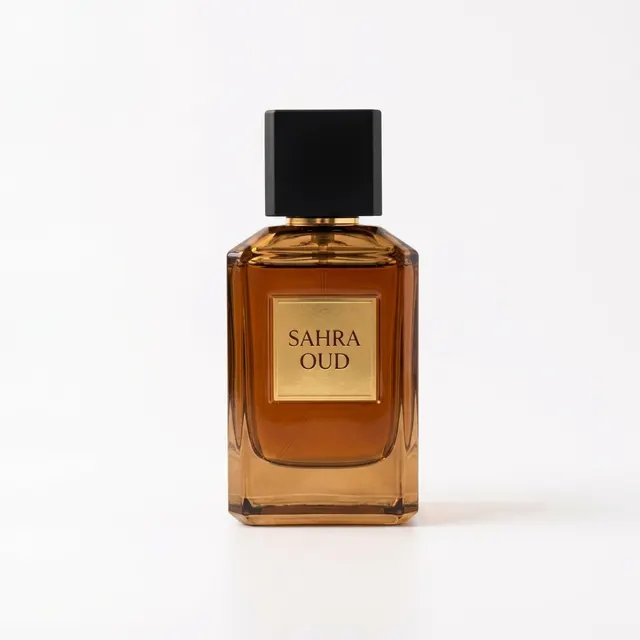
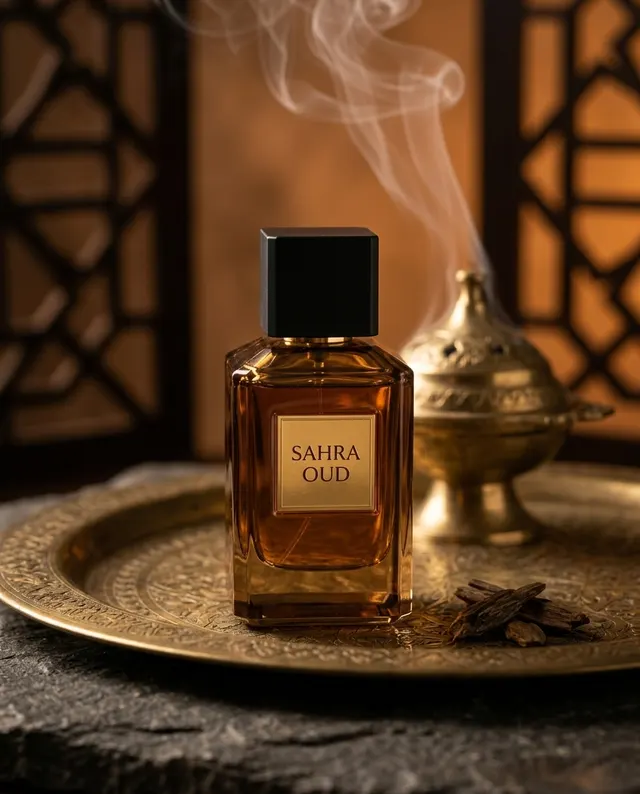
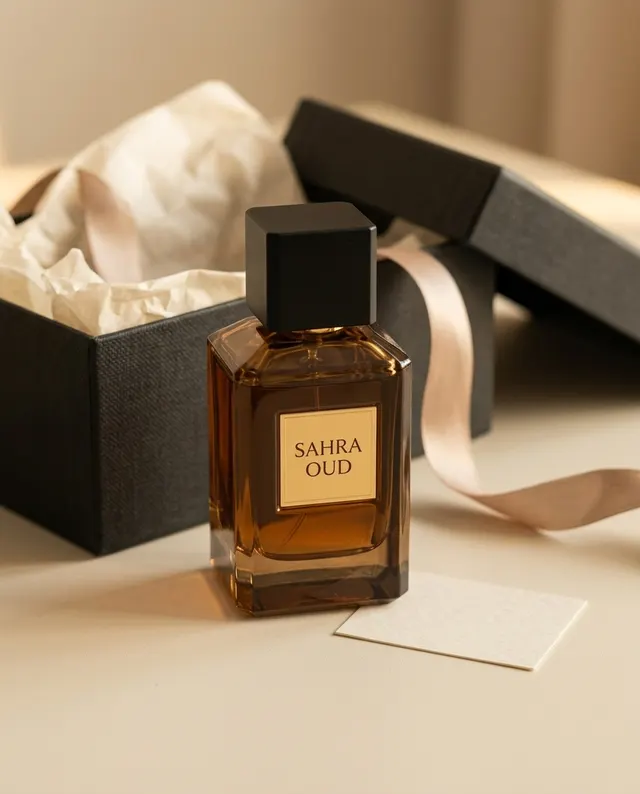
SAHRA OUD is a fictional perfume. These pictures came from one photo of the bottle through Sets: a square store photo and two 4:5 social posts. They show the format, not results from customers.
SAHRA OUD
Saudi ArabicStore photo, 1:1Example caption:
تبي عطر يعبّر عنك؟ SAHRA OUD عود دافي بلمسة فخمة، تلقاه الحين في متجرنا.
In English: Want a perfume that says who you are? SAHRA OUD is a warm oud with a luxurious touch. Find it in our store now.
SAHRA OUD
Emirati ArabicSocial post, 4:5Example caption:
شو أحلى من ريحة عود وبخور في البيت؟ SAHRA OUD دفا ووايد فخامة، اطلبه اليوم.
In English: What's nicer than oud and incense at home? SAHRA OUD: warmth and plenty of luxury. Order it today.
SAHRA OUD
Saudi ArabicSocial post, 4:5Example caption:
محتار وش تهدي؟ SAHRA OUD هدية مرتبة تفرّح اللي تحبه. اطلبها الحين.
In English: Not sure what to give? SAHRA OUD is a neat gift that delights someone you love. Order it now.
How to turn your Zid store into ads
Import your Zid store
In Products, choose Import, paste your store address and confirm the store is yours or that you may use its photos and text. Products appear as they are saved.
Start with what already sells
Start here suggests three products: your best seller, your biggest discount and your newest item. An ad for a product people already buy is a sensible first test.
Add the offer if you have one
Open the product and save its offer, with a last day if it has one. Make an offer ad then opens the composer with the exact offer line ready as image text.
Make the ad, caption and voiceover
Press Make an ad, choose the size and dialect, then add a caption and a voiceover. Lahjty reads every new ad image back before saving it.
Prepare a season with Sets
For White Friday, Ramadan, Eid or Saudi National Day, select products and let Sets make up to 10 pictures in one go, with the occasion's mood and your offer line.
What Lahjty reads from your Zid store
Lahjty reads the details your shoppers already see: product names, descriptions, categories, photos, prices, sale prices and stock, in one language per import. It is not a Zid app, does not use your Zid dashboard, and never changes your products or prices.
When your store shows a sale on a product, its card shows it too, and you can turn that sale into a saved offer in one step, so every ad for it uses the sale prices.
Limits and keeping products current
Each plan has a product limit: 10 on the free plan, 150 on Solo and 1,000 on Business, with 3, 10 and 30 imports or refreshes a day. Products over the limit are counted but not saved.
Refreshing updates prices and stock. Ads made before a price change are flagged, and Make an updated version gives you a new ad with the current price.
Writing for Zid shoppers
Most Zid stores sell in Saudi Arabia, so Saudi Arabic usually fits. Keep the caption close to how your customers message you: short, warm and direct. Lahjty keeps the product's name exactly as your store writes it, and when you include an offer, the offer carries the urgency instead of invented deadlines.
Check before you post
- The ad shows the same variant and color as the product page.
- Printed text is spelled right and reads right to left.
- The offer line and last day match the offer saved on the product.
- The caption names the product exactly as your store does.
- A Saudi discount carries its licence number in the caption.
Questions sellers ask
Is Lahjty connected to Zid as an app?
No. Lahjty is not a Zid app and is not a Zid partner. It reads the public product pages of the store link you paste, so you do not install anything or share your Zid login.
Which Zid products come in first?
Lahjty ranks the products it reads by how many have sold, and Start here suggests your best seller, biggest discount and newest product. One import reads up to 2,000 products, within your plan's limit.
Can I make ads for products that are not on Zid?
Yes. Paste a single product link from another site, or use Add a product yourself with photos from your phone. Every product, imported or added by hand, works the same way in the composer.
Does Lahjty upload the pictures to my Zid store?
No. Nothing is uploaded to your store. Download the pictures from the results or History; on a phone, a finished set can be saved to your photos in one go.
What if my Zid store is in English?
Each import reads one language, and product names stay exactly as written. You can still write every caption in Saudi or another Arabic dialect; only the product's own name keeps its English spelling.